


Payactiv
4.49.10K Reviews
App Specs
- Version
- 2.2.8
- Updated On
- License
- Free
- Downloads
- 1,000,000+
- Developer
- On-demand pay and beyond
- Categories
- Finance
- Platform
- Android
Screenshots
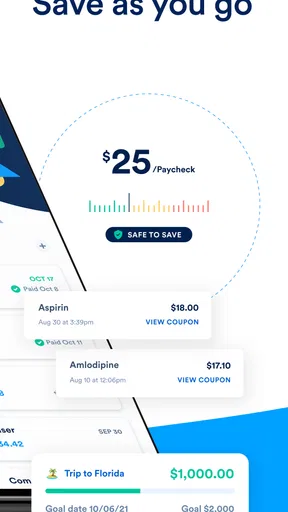
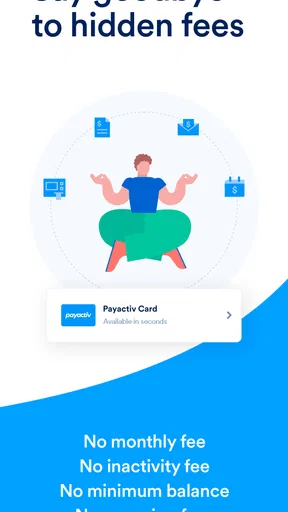
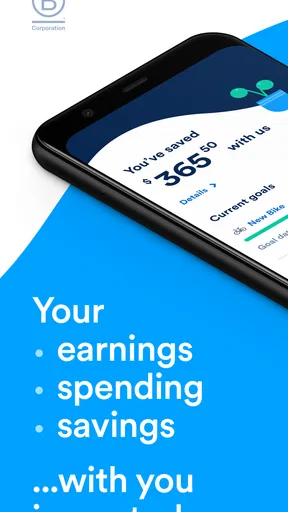
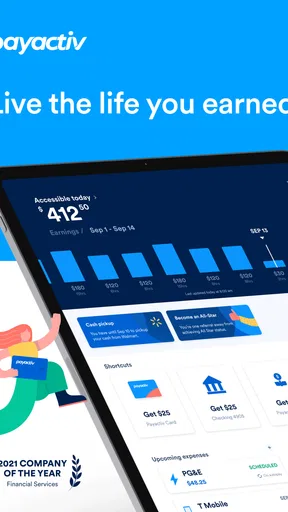
 Analysis by AppCompare
Managing money is difficult enough without needing to understand a complicated financial app at the same time. I spent time looking at Payactiv as a way to access wages already earned and keep an eye on everyday financial goals, and my overall impression is that it is most useful when timing matters. It is not a complete replacement for a bank account, a budgeting system, or a long-term savings plan, but it can give working people another option between payday and an urgent expense.
What makes this app worth considering is its specific focus. Payactiv is a free finance app from On-demand pay and beyond, designed around early access to earned wages rather than borrowing money in the usual sense. That distinction matters: the practical question is not whether it can solve every financial problem, but whether it helps you handle a short gap without turning that gap into a larger one. I found its value depends heavily on your employer, your pay arrangement, and how comfortably you can use a mobile financial tool.
How Payactiv feels to use in everyday situations
I find Payactiv most useful when I treat it as a timing tool, not extra income. In the sections ahead, I’d focus on how checking earned wages can shape a small, deliberate decision—especially when an expense cannot wait—before looking at the situations where that convenience earns its place.
Readable screens and a navigation style built around the immediate task
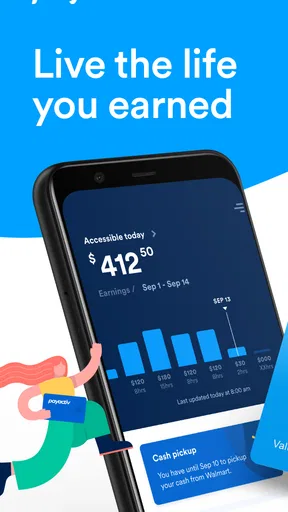
The first thing I look for in a finance app is whether I can understand the main screen without studying it. With Payactiv, the central idea is relatively easy to grasp: see what may be available from wages already earned, then decide whether early access fits the situation. That direct purpose is helpful for someone opening the app because an unexpected bill is due soon. It is less overwhelming than entering an app that presents investing, credit products, insurance, and multiple account types before showing the feature you actually need.
I also appreciate that the app’s usefulness is tied to a specific moment. If I were checking it after a shift to work out whether I could cover transportation, groceries, or a small bill before payday, I would want the important action and the relevant balance to be easy to identify. A good habit is to read the available amount as a planning figure, not as extra income. Money accessed early still belongs to the pay cycle, so using the app successfully requires keeping the next paycheck in mind.
For people who are not confident with financial terminology, the plain purpose of the service is a strength. The phrase “earned wages” is more understandable than language that sounds like revolving credit or a cash advance. Even so, I would not rush through any confirmation screen. Before requesting funds, I would check the amount, the delivery method, the timing, and any terms shown in the app. Those details are more important than the speed of reaching the next screen.
The app has been available since June 4, 2014, and its current version is 2.2.8. It is rated for Everyone and requires operating system version 10 or later. Those details make it approachable for a broad audience, but they do not automatically mean every person will find the interface equally comfortable. A newer phone with a larger display may be easier for someone who struggles with small text, while an older device may make financial screens feel cramped or slow.
Worth Reading Before You Choose

EA SPORTS FC Mobile 26 Is a Bigger Football Game, but It Takes Time

Flipboard Shows What News Apps Must Do Beyond the Feed

Switching to Android Auto Means Rethinking Your Driving Routine

Google Calendar Makes a Crowded Week Easier to Manage

Ludo King Makes the Most of the Minutes Between Plans

Baby Panda World Brings Quick Play to Modern Phones, but Its Game Library Feels Busy
Why early wage access is different from the usual alternatives
Compared with asking a bank for an overdraft, using a credit card, or applying for a conventional loan, Payactiv is aimed at a narrower situation: you have worked for money but have not reached the normal payday. That can be a meaningful difference. A credit card may remain available after the immediate problem, but it can also encourage a balance that lasts beyond one pay period. A loan is usually excessive for a small, short-lived cash-flow problem. Early wage access can feel more closely connected to work already completed.
That does not make it automatically cheaper or better in every case. If the expense can wait until payday, waiting may be the simplest option. If you need a larger amount or a long repayment period, a properly understood bank product may be more suitable. I see Payactiv as a tool for smoothing timing, not as a way to increase what you can truly afford.
One practical trade-off is psychological: seeing earned money available early can make a tight budget feel more flexible than it really is. I would use it only after writing down the bills that must be covered from the next paycheck. That small step turns the app from an impulse button into a controlled cash-flow decision.
Motor and sensory considerations when money is urgent
Financial stress changes how people interact with an app. Someone may be using Payactiv on a bus, in a noisy workplace, with one hand, or while tired after a shift. In those conditions, short labels and a focused workflow matter more than decorative design. I found the concept easier to follow when I treated each screen as a decision: how much is needed, when is it needed, and what will the next paycheck look like afterward?
For users with limited fine-motor control, the safest approach is to slow down at the final confirmation rather than repeatedly tapping through a process. A larger phone display, increased system text size, and good screen contrast can make reading amounts easier, although the exact experience will depend on the device and operating-system settings. I would also avoid making a request while walking or multitasking. A mistaken amount in a finance app is more consequential than a mistaken tap in an ordinary shopping app.
People with visual, cognitive, or reading difficulties may benefit from having a trusted person nearby when first setting up or reviewing a transaction. That is not because the app is unusable, but because financial decisions deserve a second check when terminology, amounts, or timing are hard to process. Reading every displayed condition aloud can also reveal a misunderstanding before money is moved.
For sensory-sensitive users, notifications and phone feedback can be distracting, especially during a stressful money situation. I would review the phone’s notification controls and choose a quiet time to inspect the account. The important point is to separate accessibility from speed: completing a request quickly is not the same as completing it comfortably or safely.
Situational access: where the app helps and where it depends on circumstances
Payactiv makes the most sense in a realistic scenario such as this: I have completed several shifts, my regular payday is still ahead, and a necessary expense arrives earlier than expected. Instead of immediately reaching for a high-cost borrowing option, I can check whether early access is available and decide whether taking part of those wages now will leave enough for rent, food, transport, and other fixed commitments later. The app is useful here because it addresses the timing problem directly.
Another use case is irregular weekly spending. A worker may have enough income overall but face a mismatch between when money is earned and when essential costs are charged. Early access can provide breathing room for a short period, particularly when the alternative would be missing a payment or relying on an expensive form of credit. I would still treat this as an exception rather than a routine payday schedule.
The service is not equally relevant to everyone. Someone with stable savings and bills comfortably covered may gain little from accessing wages early. A person who is self-employed, paid through arrangements that do not connect with the service, or looking for a general budgeting app may also be better served elsewhere. The app’s usefulness depends on whether the work and pay setup supports what it is designed to do.
It is worth checking compatibility before building a budget around it. I would not assume that having the app installed guarantees that every feature will be available to every worker. If you are considering it for a specific emergency, first confirm that your employment arrangement is recognized and that the amount and timing shown in the app match your expectations. This is one of the most important practical questions a new user should answer before relying on it.
Situational access also includes device access. If your phone is shared, frequently offline, nearly out of storage, or protected by settings you cannot easily use, a mobile-first financial workflow may become frustrating. The app may be free to install, but the surrounding requirements of owning and safely using a compatible phone still matter. I would avoid signing in or requesting money on a public device, and I would not ask someone else to handle the whole process without reviewing what is being confirmed.
Financial wellness tools need a careful interpretation
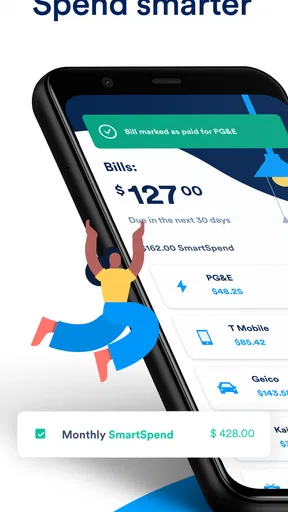
Payactiv presents itself as more than a single early-pay option, with a broader emphasis on financial wellness goals. I like that direction because access to wages is only one part of financial stability. The useful question is whether the app encourages a person to make a plan rather than simply react to each shortage. Even a basic routine of checking upcoming obligations, deciding what amount is genuinely necessary, and reviewing the effect on the next payday can make the feature more responsible.
My advice is to create a personal rule before using it. For example, I would reserve early access for essential expenses, define a maximum amount I can take without disrupting the next pay cycle, and avoid using it for purchases that could wait. I would then review the following paycheck and see whether the decision actually solved a problem or merely moved it forward. This turns the app into a budgeting checkpoint instead of a source of repeated short-term relief.
There is also a useful distinction between emergency access and financial progress. Getting through one unexpected expense is not the same as building savings, reducing debt, or increasing income. If the same shortage happens every pay period, the app may be showing a structural budget problem rather than solving it. In that situation, a detailed budget, a conversation with a financial counselor, or a different banking arrangement may be more valuable.
Remaining barriers and points that deserve extra care
The biggest barrier is not necessarily navigation; it is the risk of misunderstanding the relationship between early access and the next paycheck. A user who focuses only on the amount visible today may forget that the regular payday will contain less money than expected. I would write down the next pay date and the bills due before it before making any request. If that calculation leaves no margin, waiting or finding another solution may be safer.
Another barrier is that financial apps ask users to make high-stakes choices on small screens. A person with low digital confidence may not know which information is essential, which option changes delivery timing, or where to review a previous decision. I recommend taking screenshots only when they do not expose sensitive information, keeping personal records separately, and checking the final details while seated and undistracted.
Privacy and account security also deserve ordinary, practical attention. Use a device lock, keep the app and operating system updated, and do not share login details through messages or phone calls. If a family member helps because of a disability or language barrier, agree on exactly what they may view or do. Assistance should improve access without removing the user’s control over a financial decision.
People who rely on assistive technology should test the parts that matter most to them before depending on the app in an emergency. That includes reading balances, moving through controls, understanding alerts, and completing a confirmation. I cannot treat an Everyone age rating as proof of specialized accessibility support. It indicates a broad content audience, not that every visual, motor, hearing, or cognitive need has been addressed equally.
I also would not choose Payactiv solely because it has a strong public reception. The app has an average rating of 4.4 from around 45 thousand ratings, with roughly 9 thousand written reviews and more than a million installs. Those figures suggest that many people find it useful, but they do not predict whether it will match your employer, your phone, your pay cycle, or your accessibility needs. Personal fit matters more than popularity here.
Who should use it, and who should choose something else
I would recommend trying Payactiv to a worker who sometimes faces a short gap before payday, understands that early access reduces what arrives later, and wants a focused alternative to credit-card borrowing. It may also suit someone who prefers checking a mobile app rather than calling a bank or managing a more complicated financial product. The free price makes it easy to investigate without paying simply to download it.
I would be more cautious if you already depend on early access every pay period. Repeated use can hide the fact that essential expenses exceed the amount available on payday. In that case, a budgeting app with deeper spending analysis, a savings plan, or a conversation about income and fixed costs may address the underlying issue better. Someone seeking investments, detailed account aggregation, or a full banking replacement should also look beyond this particular tool.
It is not the best choice for a person who cannot comfortably read and confirm financial details on a phone, unless reliable assistance is available and the user remains in control. It may also be a poor fit when the need is large, ongoing, or unrelated to earned wages. A conventional loan, credit union conversation, employer assistance program, or simply delaying a nonessential purchase could be more appropriate depending on the situation.
My inclusive verdict after looking beyond the headline feature
Payactiv is a focused finance app with a clear practical purpose: it can help eligible workers manage the gap between earning money and receiving it. I like its potential to offer an alternative to more familiar forms of short-term borrowing, and I think its financial-wellness angle is most valuable when paired with a personal spending rule. The strongest experience will come from someone who treats early access as a carefully planned exception.
From an inclusion perspective, its broad audience rating, focused purpose, and mobile format can make the idea approachable, but accessibility is more than simple language or a free download. People with different visual, motor, cognitive, sensory, or situational needs should test the complete workflow on their own device and avoid making a rushed request. A trusted helper can be useful, but the user should understand the amount and consequences before confirming.
My final recommendation is measured rather than automatic: install Payactiv if your pay arrangement supports it and you occasionally need to manage timing, but first compare the displayed terms with your next paycheck and essential bills. Do not use it as permission to spend more. Used with that discipline, it can be a practical bridge; used without it, the same convenience may simply move a financial problem a little further into the future.
For me, the app succeeds when it answers one narrow question clearly: “Can accessing part of what I have already earned help me handle this immediate need without damaging the next pay cycle?” If your situation fits that question, Payactiv is worth considering. If you need comprehensive budgeting, long-term debt support, or a fully accessible financial service tailored to a specific disability, I would compare it with more specialized alternatives before making it central to your money routine.
Pros
- Early access to earned wages can help cover unexpected expenses.
- Supports bill payments and budgeting tools in one app.
- Offers discounts and savings opportunities through partner merchants.
- Can reduce reliance on payday loans or high-interest credit.
- Available on both Android and iOS for convenient access.
Cons
- Access depends on your employer participating in the Payactiv program.
- Some features may involve fees
- depending on your plan or transaction.
- Not all employers support every Payactiv service or payment option.
- Earned wage access limits may vary based on hours and payroll data.
- App usefulness is limited if your workplace does not integrate with it.
FAQs for Payactiv
What is Payactiv, and how does it work?
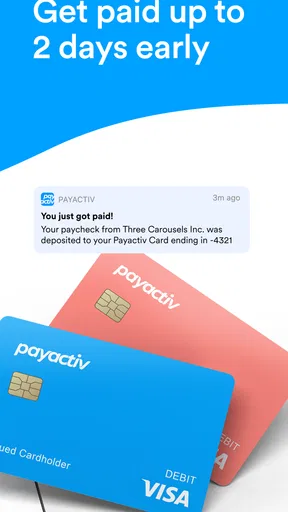
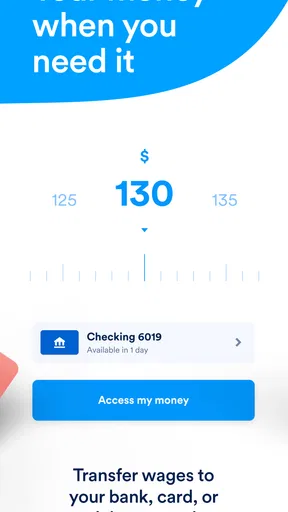
Payactiv is a financial wellness app that can give eligible employees access to part of their earned wages before the regular payday. After connecting your employment and payroll information, the app shows available earnings based on hours already worked. You can then transfer funds to a bank account, card, or another supported option, depending on what your employer and Payactiv make available.
Who can use Payactiv?
Payactiv is generally available to employees whose companies participate in the Payactiv earned wage access program. Downloading the app alone does not guarantee access, because eligibility depends on your employer, payroll system, work status, and available earned wages. During setup, you may need to verify your identity and employment details before the app displays any accessible balance.
How quickly can I receive money through Payactiv?
The delivery time depends on the transfer method you select and the terms available through your employer. Some supported options may provide funds quickly, while standard bank transfers can take longer, especially outside business hours, on weekends, or around holidays. Before confirming a withdrawal, review the estimated arrival time and any applicable fee shown in the app.
Does Payactiv charge fees for using its services?
Payactiv may offer some withdrawal methods at no cost, while other options or additional services can involve fees. Charges vary according to your employer’s arrangement, the destination of the money, the transfer speed, and the features you choose. I recommend checking the confirmation screen carefully before submitting a transfer, since the total cost should be displayed there.
Is Payactiv safe to use, and what information does it require?
Payactiv uses account verification and security measures intended to protect personal, employment, and financial information, but users should still follow normal safety practices. Registration may require details such as your name, contact information, employer information, identity data, and a linked payment destination. Use the official app, keep it updated, choose a strong password, and avoid sharing login codes.


